
Admin Console
vgate-admin/ is the Vue 3 web UI operators use to run VGate day to day. It talks to the manager's REST API under /api/v1.
Source: github.com/vgate-project/vgate-admin
Pre-built (no build)
The admin console is also published as a ready-built SPA in the vgate-admin releases. Download dist.tar.gz / dist.zip, extract it into a dist/ directory, then edit dist/env.js to set window.__ENV__.API_BASE_URL to your manager's API origin (empty '' for same-origin behind a reverse proxy), and serve the folder statically. No npm install / npm run build required. See Releases (Pre-built) for the full steps.
Stack
Vue 3 + Vite + TypeScript, with Element Plus, Pinia, Vue Router, Axios, and qrcode (payment QR codes). Node 18+ required. Ships package-lock.json; use npm.
Commands
cd vgate-admin
npm install
npm run dev        # Vite dev server → http://localhost:5173
npm run build      # production build → dist/
npm run preview    # preview the build
npm run typecheck  # vue-tsc --noEmit
No test script
The frontend has no test script (only dev, build, preview, typecheck). There is nothing to run with npm test.
What you can do
- Nodes: create/edit proxy nodes, set their listen port, transport (
tcp/ws/xhttp), TLS/Reality security, and per-node upload/download speed limits — all delivered to the node via the manager. The list is split into Real and Virtual tabs with independent pagination. Virtual (multi-IP child) nodes inherit their parent's transport settings and can carry a dedicated Reality Short ID (auto-generated when left empty) for entry-point traffic attribution — the manager keeps it in the parent'sshort_idswhitelist and subscription links for that child advertise it. - Users & products: create users, assign subscription plans (price, quota, duration, per-plan speed caps), manage traffic packages (one-off traffic add-ons), revoke credentials, and set per-user speed limits. Plan management is gated to
super_admin. - Orders: view and manage billing orders.
- Traffic: inspect per-user and per-node usage and stats. Traffic is reported per entry point, so rows appear under each virtual child whose Reality short ID the client connected with (labeled
· virtual), not only under the real node. - System config: tune hot-reloadable settings via
PUT /api/v1/admin/system-config, including JWT TTLs, log level/format, CORS origins, timeouts, Captcha / Cloudflare Turnstile, registration modes, password policy, trial accounts, traffic reminders, subscription base URLs, the Telegram bot toggles, and the Payment gateways (Alipay, WeChat Pay, Stripe, PayPal, Apple IAP). - Invites: create and manage invite codes that gate or credit new registrations.
- Redemption codes: issue and track redemption codes that users apply from the portal's
/redeempage. - Messaging: a single page with three tabs — Announcements (publish notices to the user portal), Email (broadcast an email to users, optionally also creating an announcement), and Telegram (broadcast to every linked user). From Settings → Telegram you can also link your own operator account for ticket alerts.
- Tickets: list and view support tickets from users, reply to them, and move each through the
open → in_progress → resolved → closedstatus machine; a later user reply reopens a closed ticket.
Auth behavior
- The admin console uses JWT access + refresh. Login returns both tokens.
- On a
401, the Axios interceptor performs one automatic silent refresh, then retries. - The login form renders a Cloudflare Turnstile widget when the manager has Turnstile enabled, sending
cf_turnstile_responsewith the login request.
API base URL
In dev, Vite proxies /api → http://localhost:8081 (the manager) to avoid CORS.
At runtime the API base URL is read from window.__ENV__.API_BASE_URL, injected by public/env.js. public/env.js is copied verbatim to dist/env.js and is not bundled, so you can repoint the backend after deploy without rebuilding:
- Empty string → relative
/api/v1(same-origin / reverse-proxy). - Full URL → needed when the manager runs on a separate host; the manager's CORS
allowed_originsmust then allow the frontend origin.
Deploying
Build with npm run build and serve dist/ from any static host or your reverse proxy alongside the manager. Edit dist/env.js to set API_BASE_URL.
Screenshots
Dashboard
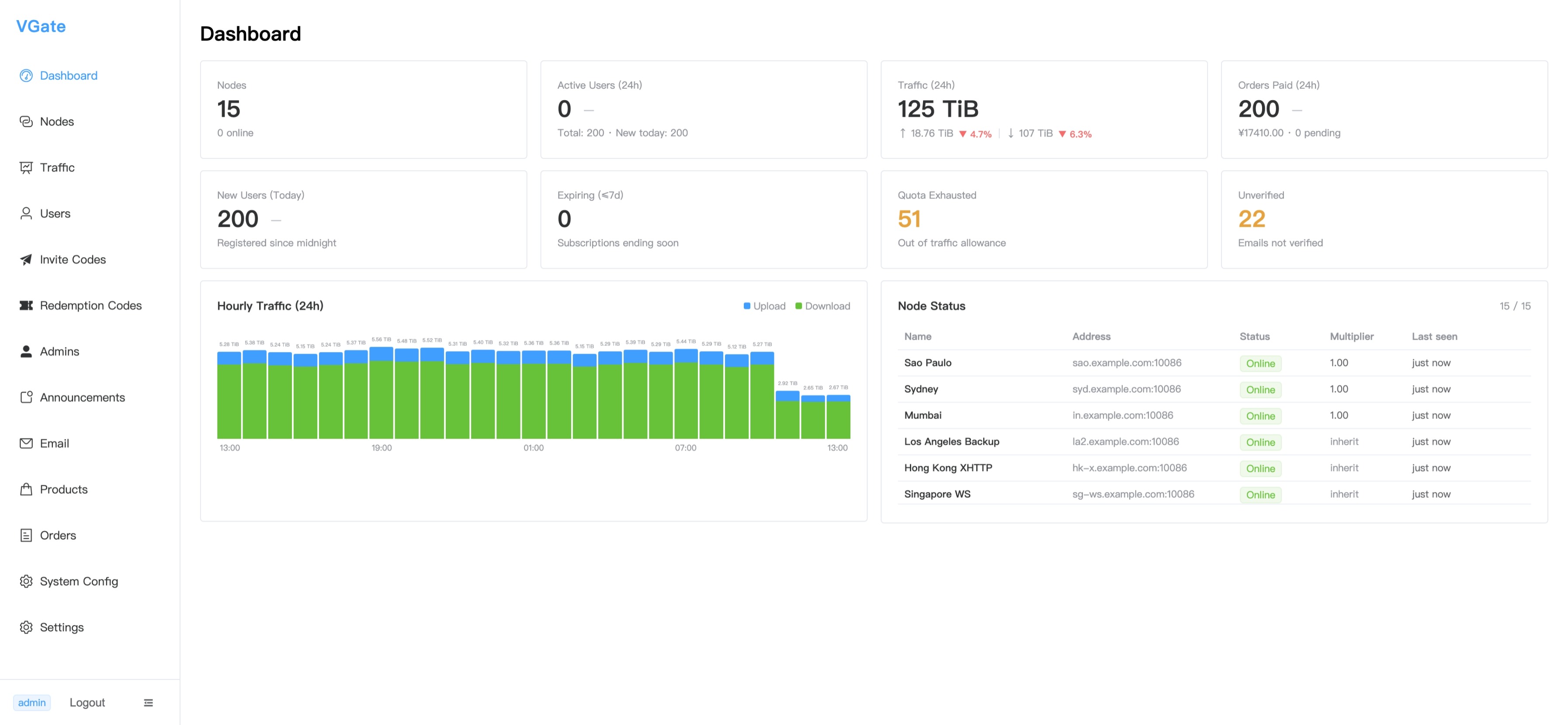
The admin dashboard at a glance: node count, active users (24h), traffic, orders paid, new users, expiring subscriptions, quota-exhausted and unverified counts, hourly upload/download traffic chart, and live node status table.
Nodes
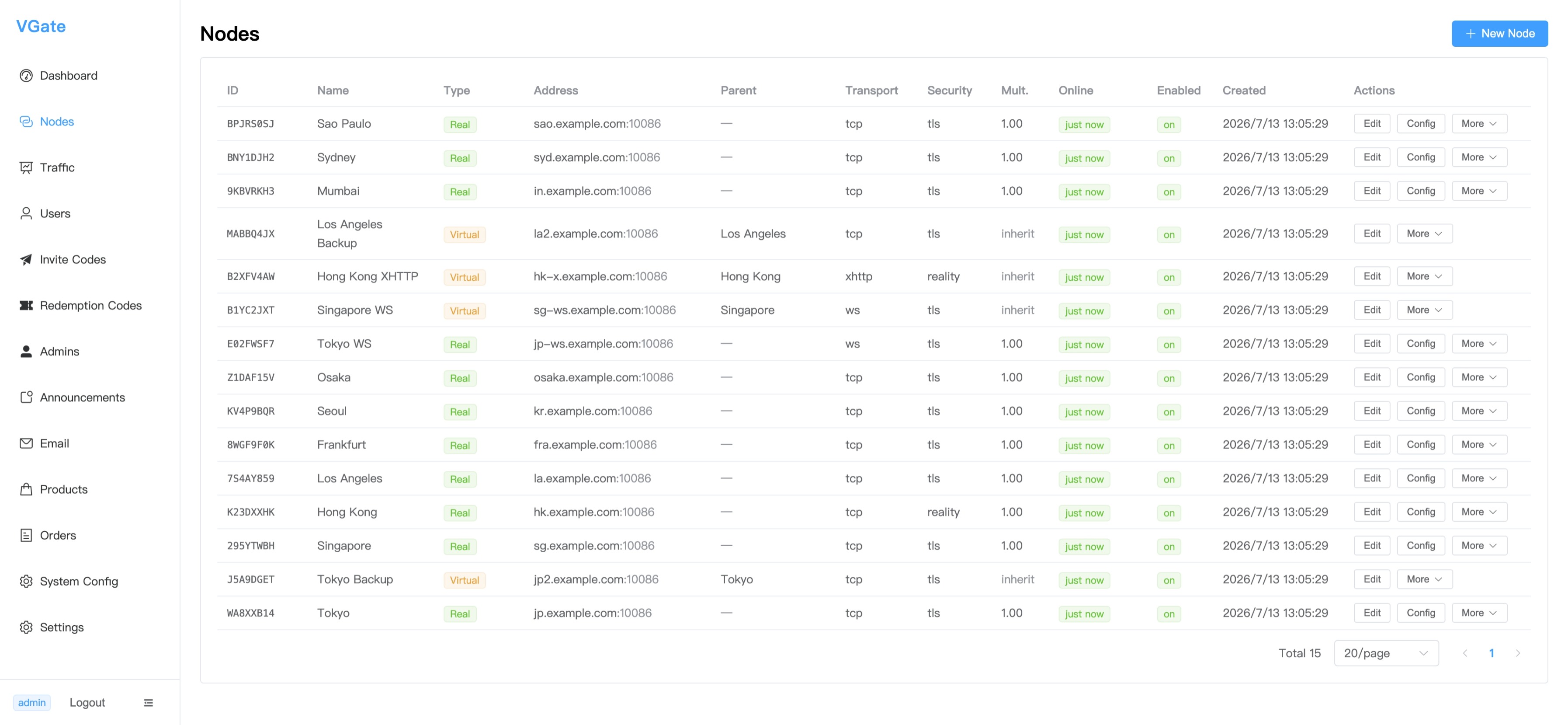
Node management table — each row shows ID, name, type (Real/Virtual), address, parent node, transport protocol, security mode (TLS/Reality), online status, and quick actions for editing config.
Users
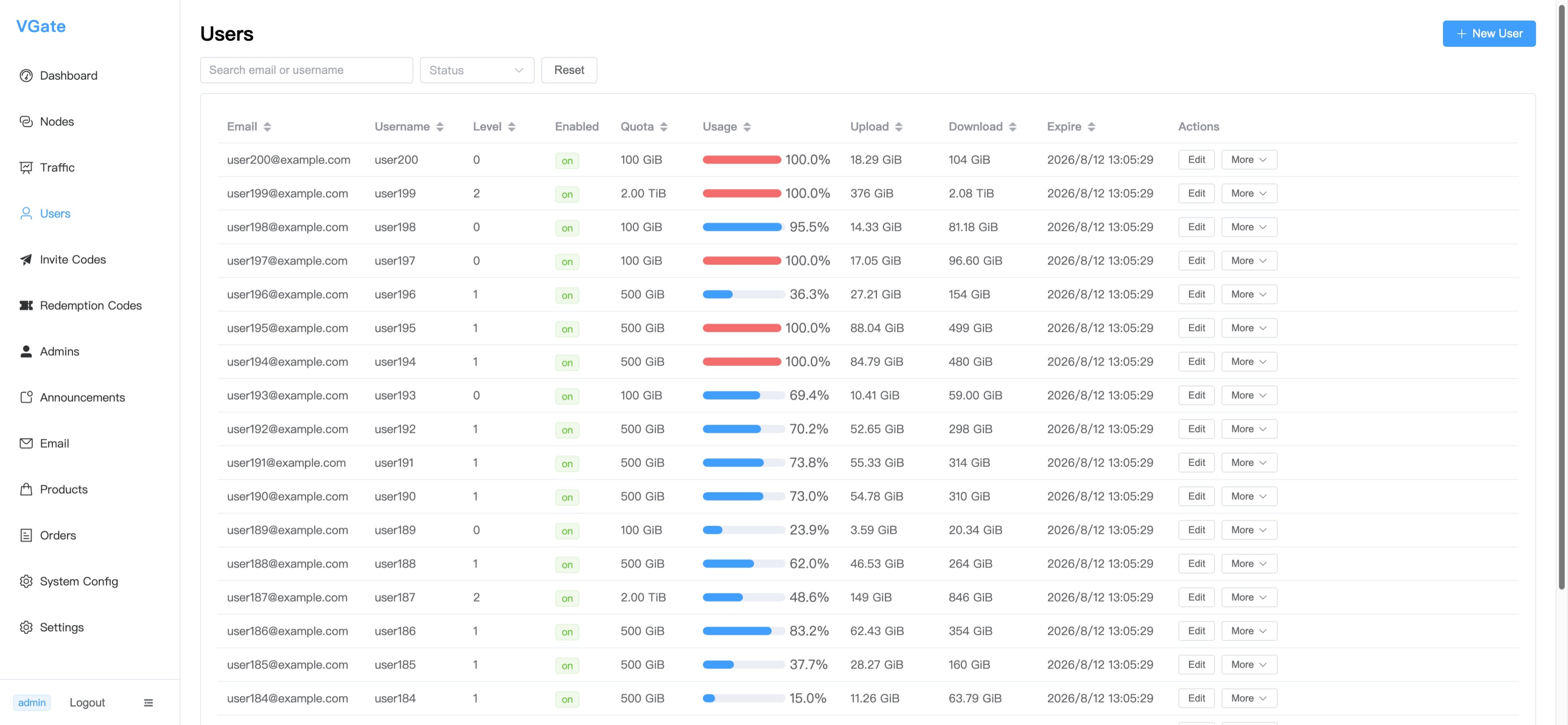
User list with per-user quota, real-time usage progress bar (red = exhausted), cumulative upload/download bytes, expiry date, and edit actions.
System Config
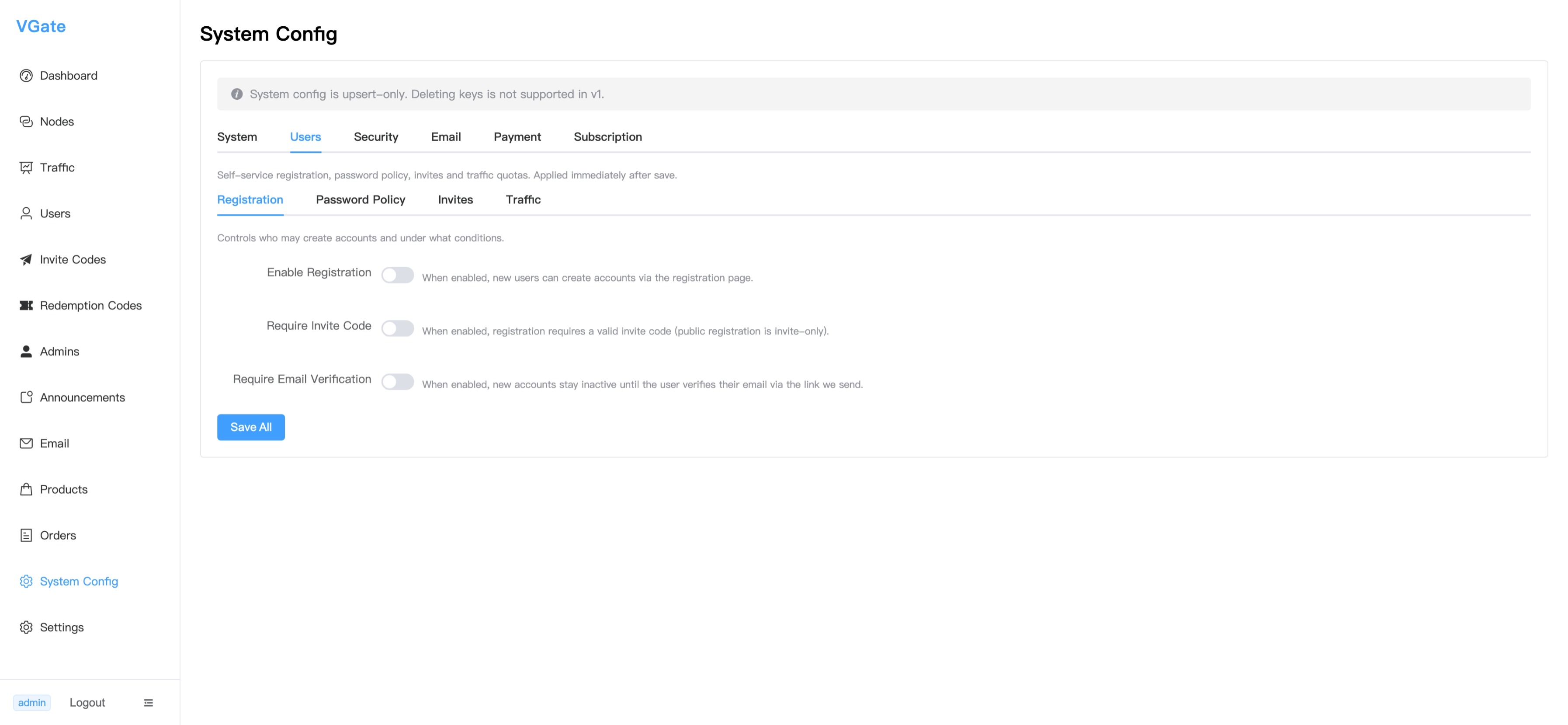
System configuration panel (Users tab) — toggle self-service registration, require invite codes, and require email verification. All settings are DB-backed and applied immediately on save.