
User Portal
vgate-user/ is the Vue 3 web UI your customers use: they log in, manage their profile, subscribe to plans, and view their subscription and usage. It talks to the manager's REST API under /api/v1.
Source: github.com/vgate-project/vgate-user
Pre-built (no build)
The user portal is also published as a ready-built SPA in the vgate-user releases. Download dist.tar.gz / dist.zip, extract it into a dist/ directory, then edit dist/env.js to set window.__ENV__.API_BASE_URL to your manager's API origin (empty '' for same-origin behind a reverse proxy), and serve the folder statically. No npm install / npm run build required. See Releases (Pre-built) for the full steps.
Stack
Vue 3 + Vite + TypeScript, with Element Plus, Pinia, Vue Router, Axios, qrcode (subscription and payment QR codes), @element-plus/icons-vue, @fortawesome/fontawesome-free, and dompurify (sanitizes plan/package descriptions). Node 18+ required. Ships package-lock.json; use npm install.
Commands
cd vgate-user
npm install
npm run dev        # Vite dev server → http://localhost:5174
npm run build      # production build → dist/
npm run preview    # preview the build
npm run typecheck  # vue-tsc --noEmit
No test script
As with the admin console, there is no test script for the user frontend.
Differences from the admin console
- No silent refresh. User JWT access tokens are not refreshable. On a
401, the Axios interceptor clears the token and redirects to/login. - Cloudflare Turnstile. Login supports a
cf_turnstile_responsefield for bot protection. - Email verification. There is a
/verify-emailflow.
See vgate-user/README.md for the full route list and details.
What users can do
- Log in / verify email.
- Redeem a redemption code from the
/redeempage. - View their profile and current subscription.
- Browse plans and place orders.
- Buy traffic packages (one-off traffic add-ons) from the
/traffic-packagespage (requires an active plan). - Pay for orders via a provider QR code, an in-app Apple purchase (
iap), or a redirect to the gateway — driven by the order'spay_mode. - Copy their subscription link (
/sub/:sub_token) into a VLESS client. - View their traffic usage against their plan quota and their effective speed cap on the dashboard.
- Telegram: bind a personal Telegram account (Settings) for ticket notifications and toggle announcement delivery — only shown when the manager's Telegram bot is enabled and self-binding is allowed.
- Support tickets: open a ticket, reply to admins, and close their own ticket; when opening a ticket they choose how they're notified of replies (
none/email/telegram, defaulting totelegramwhen their account is linked).
API base URL
Same mechanism as the admin console: window.__ENV__.API_BASE_URL injected by public/env.js, copied verbatim to dist/env.js (not bundled). Set it after deploy without rebuilding.
Deploying
Build with npm run build and serve dist/ from a static host or your reverse proxy. Ensure the manager's CORS allowed_origins permits the portal's origin when the manager is on a separate host.
Screenshots
Dashboard
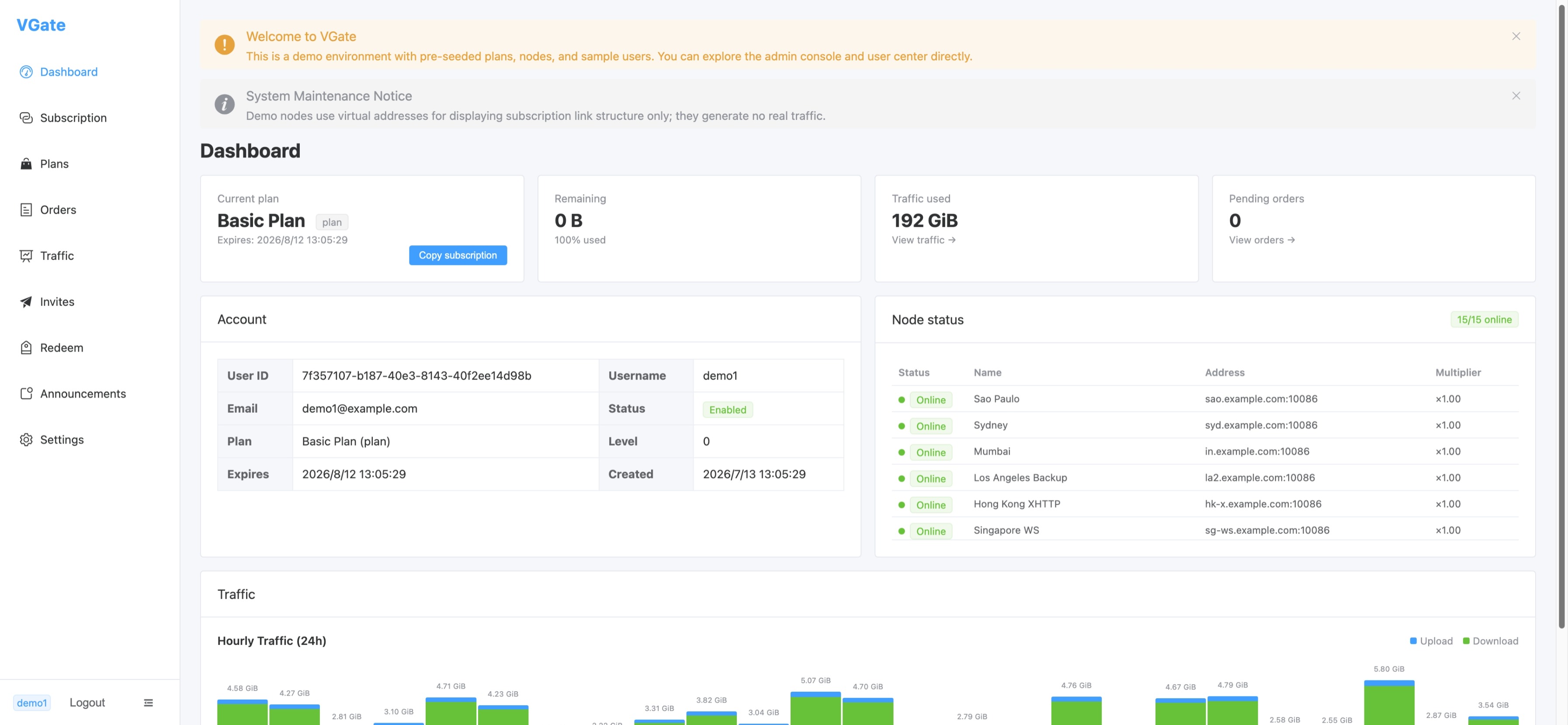
The user dashboard shows current plan (with expiry), remaining quota, total traffic used, pending orders, account details (user ID, email, username, status, plan level), live node status with online indicators, and an hourly upload/download traffic chart.
Plans & Traffic
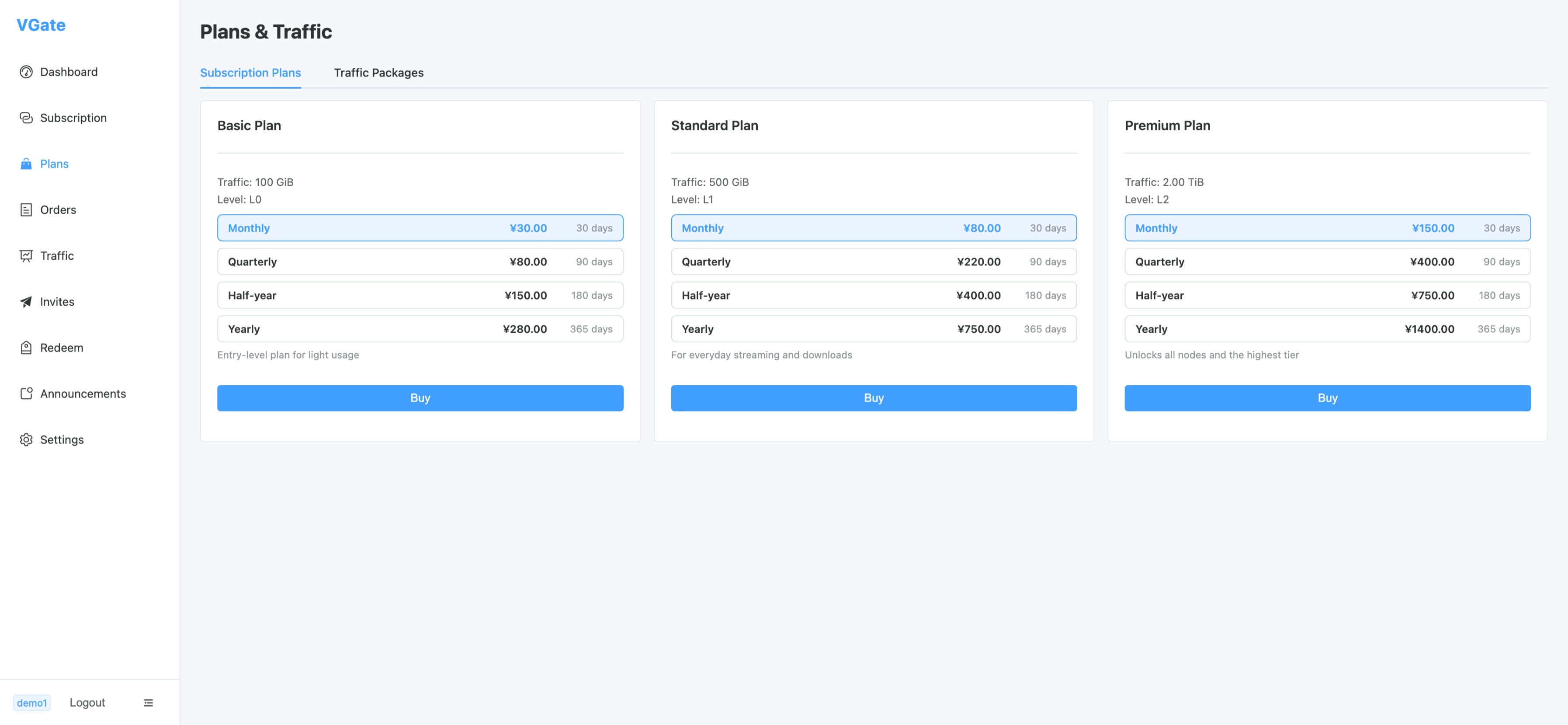
Subscription plans page — three tiers (Basic / Standard / Premium) with monthly, quarterly, half-yearly, and yearly pricing. Each tier specifies traffic allowance and access level.
Traffic Analytics
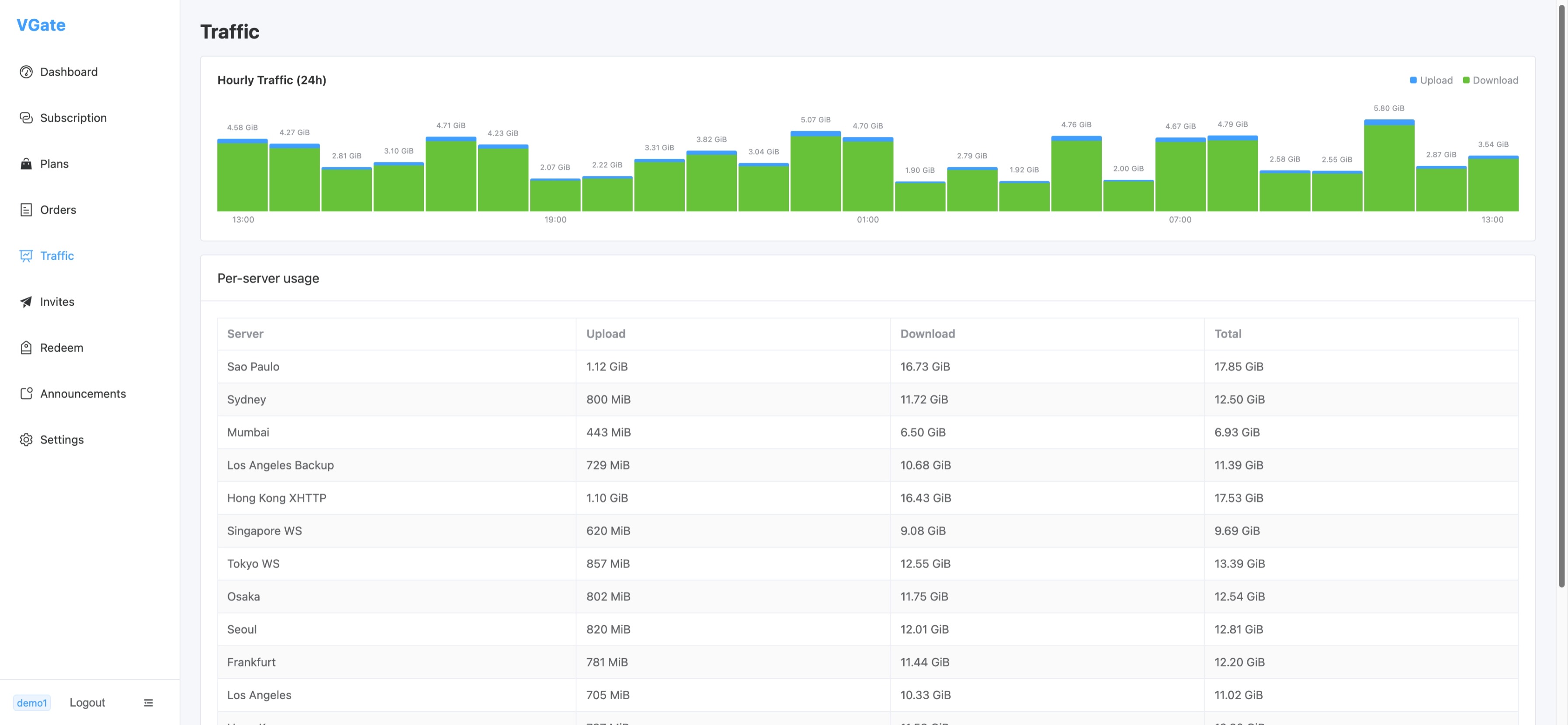
Per-server traffic breakdown: hourly upload/download bar chart over 24 hours plus a table of per-node upload, download, and total usage.